Payment troubleshooting
AdSense payment on hold: every YouTube hold and the fix
A red notice on the AdSense Payments page means one of six things, and each has a fix that takes between five minutes and four weeks. Clear it before the 20th and the payment goes out between the 21st and 26th; miss the 20th and it waits a month. Here is the diagnosis, in the order AdSense checks.
Platform facts verified 22 October 2026 against YouTube and AdSense Help · Updated when the rules change
The six holds
Diagnose it from the notice
AdSense shows the exact wording below on the Payments page. Find yours.
| Notice in AdSense | What it means | The fix and how long it takes |
|---|---|---|
| Verify your address | Google mailed a PIN to your payment address and it has not been entered. | Enter the PIN under Payments → Verification. New PIN: up to 3 requests, 2–4 weeks each. After that, document verification: a few days. |
| Verify your identity | AdSense needs a government ID in the payee's name. | Upload a passport, national ID or licence. Name must match AdSense and the bank exactly. Usually 1–3 days. |
| Provide your tax information | No US tax form on file. | Payments → Manage settings → United States tax info. W-9 (US) or W-8BEN (elsewhere). Five minutes; takes effect immediately. |
| Choose how to get paid | No payment method, or the one on file was removed. | Add the method listed for your country on the AdSense table, in the payee's exact name. Five minutes; test deposit for EFT may take days. |
| Your balance has not reached the threshold | Not a hold: the balance on the 20th was below 100 USD (or local equivalent). | Nothing to fix; the balance carries forward. Check the threshold for your currency. |
| Payment returned / unable to pay | The bank rejected the transfer: name mismatch, closed account, wrong SWIFT, IBAN or routing number. | Correct the field the bank named, before the 20th. The returned amount is back on your balance. |
Timeline and mechanics from the Payment timelines for AdSense for YouTube, Add your payment method for AdSense for YouTube and U.S. tax requirements for YouTube earnings pages, checked 22 October 2026.
The monthly clock
Why the 20th is the date that matters
Every hold is judged against this cycle.
A hold cleared on the 19th pays this month; a hold cleared on the 21st pays next month. If you are close to the 20th and waiting for a PIN, the document route is faster than a third PIN request.
Clear it in order
Six steps, once
Do all six even if only one notice shows; the next one appears as soon as the first clears.
- 1
Open AdSense → Payments → Payments info
Read every red and yellow notice. Note which ones name the address, identity, tax, payment method or a returned payment.
- 2
Verify your address
Enter the six-digit PIN. If it never arrived, request another (three maximum) or switch to document verification with a utility bill or bank statement showing the same address.
- 3
Verify your identity
Upload a government-issued photo ID. The name must be identical to the AdSense payee name and to the bank account holder's name; fix the payee name first if it is not.
- 4
Submit tax information
W-9 with SSN or EIN if you are a US person; W-8BEN otherwise, claiming your country's treaty if it has one. Without any form, 24% is withheld from worldwide earnings.
ToolW-8BEN guide - 5
Add the payment method your country supports
EFT where listed (local currency, lowest friction), otherwise wire transfer or check. Beneficiary name exactly as the bank prints it; SWIFT, IBAN or routing number copied from the bank, not typed from memory.
- 6
Confirm before the 20th and watch the 21st–26th
The Payments page shows 'payment in progress' once issued. EFT arrives within seven business days, a wire within 15 and a check in two to four weeks.
Never again
Six habits that keep payments moving
Set once, forget.
Verify everything at 10 USD
Address, identity and tax info can be done long before the threshold. Do them the month monetization turns on.
Payee name = ID name = bank name
One spelling, one script, everywhere. Nicknames and trading names return wires.
Copy bank codes from the bank
SWIFT/BIC, IBAN, routing and account numbers from a bank document, never typed from memory.
Change details before the 20th
Any change after the 20th waits a cycle.
Confirm your bank accepts USD wires
Some local accounts reject incoming foreign-currency SWIFT transfers; ask your bank before the first payment.
Keep receipts
Download the monthly receipt from Payments → Transactions; it is the record your tax authority asks for.
FAQ
Questions creators ask
Why is my AdSense payment on hold?
AdSense holds a YouTube payment for one of six reasons: your address is not verified (PIN), your identity is not verified, your tax information is missing, no payment method is set, your balance was below the threshold on the 20th, or the payee name does not match the bank. Each shows as a red notice on the Payments page in AdSense, and each has a specific fix described on this page.
How long does an AdSense hold last?
Until you clear it and the next payment cycle runs. Payment details must be complete by the 20th of the month for that month's payment, which is issued between the 21st and 26th; a hold cleared on the 25th usually waits for the following month. The balance does not expire; it carries forward and pays out in full once the hold is lifted and the threshold is met.
What is the AdSense address verification PIN?
Once your balance reaches the verification threshold, Google mails a six-digit PIN to the payment address in your AdSense account. Enter it in AdSense → Payments → Verification. You can request a new PIN up to three times, each taking two to four weeks to arrive; after that, AdSense offers document-based address verification. Until the address is verified, payments are held even if everything else is complete.
Why does AdSense say my name does not match?
The payee name in AdSense must match the bank account holder's name exactly, including spelling, middle names and script. A wire to a nickname, a trading name, a joint account or a relative's account is returned and the payment goes back on hold. Fix the AdSense payee name to match the bank's printed name, or add a bank account in the payee's name; name changes may trigger a new identity check.
Do I need to submit tax information to get paid?
Yes. Every creator submits US tax information in AdSense → Payments → Manage settings: a W-9 for US persons, a W-8BEN for individuals elsewhere (W-8BEN-E for companies). Without it, 24% backup withholding applies to worldwide earnings for individuals. Creators in treaty countries claim the treaty rate on US-viewer earnings; creators in non-treaty countries have 30% withheld on US-viewer earnings only.
When does YouTube pay through AdSense?
Earnings for a month are finalized around the 3rd of the following month and added to the AdSense balance between the 7th and 12th. Payment details must be complete and any hold cleared by the 20th. If the balance on the 20th meets the threshold (100 USD or the local-currency equivalent), the payment is issued between the 21st and 26th; EFT arrives within seven business days, a wire within 15.
What happens if my payment bounces back?
A returned wire or EFT goes back onto your AdSense balance, usually with a notice explaining why (name mismatch, closed account, wrong SWIFT or IBAN). Correct the payment method before the 20th and the balance pays out in the next cycle. Keep the bank's rejection reason; it tells you exactly which field was wrong.
Every tool on this page is in the YouSEO app, built for mobile creators.
YouSEO is an AI-powered YouTube growth toolkit that helps creators plan, create, optimize, analyze, and grow a YouTube channel — all in one app. Link your channel once and the app reads your real watch hours, engaged Shorts views and subscribers, so you never type numbers into a checker again.
Built on YouTube's official API — Google-approved authorization. YouSEO can never change, edit, delete, or upload anything on your channel — it only powers your analytics and insights. Access is revocable anytime, and YouSEO never asks for your YouTube password.
Trusted by 1 million+ creators · 33 AI tools · Free to start
Keep going
Related guides and tools
 Tax
W-8BEN for YouTube creators
The tax form, field by field.
Get started Hub
Country payment guides
Methods, currency and threshold for 28 countries.
Get started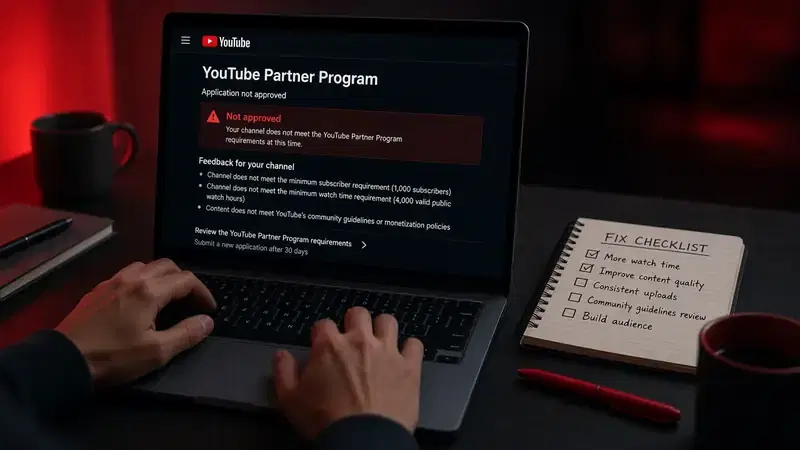 Fix
Monetization rejected?
If the problem is the application, not the payment.
Get started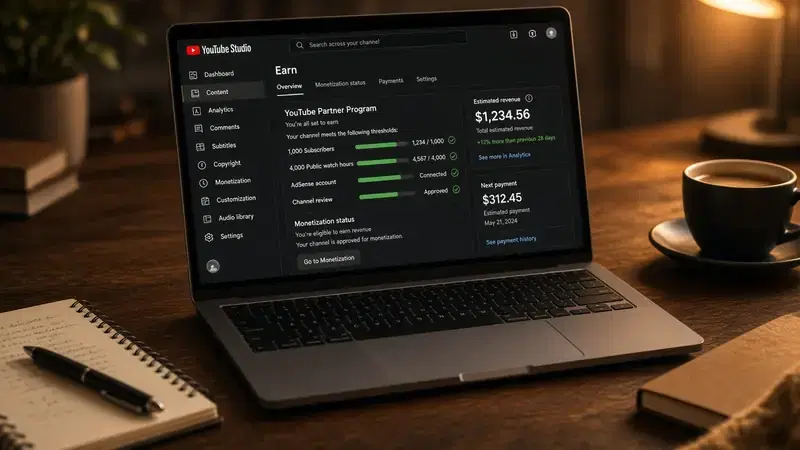 YPP
Monetization requirements
The full picture.
Get started Guide
Money Calculator
Estimate the balance you are waiting for.
Get startedGuideChannel Analyzer
Your numbers, without the spreadsheet.
Get started